In August 2010, Chrome was five years old and still the plucky outsider — and I wrote this piece to talk my fellow power users into trying it. Fifteen-plus years later the verdict is in: Chrome did become the number one browser, and almost everything I praised here either became a universal standard or outgrew its original form. The screenshots below are from Chrome as it actually looked in 2010.
Incognito mode (private browsing)
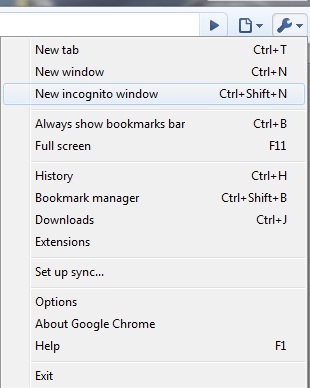
For times when you want to browse in stealth mode — for example, to plan surprises like gifts or birthdays — Google Chrome offers incognito browsing mode. Here is how incognito works:
- Web pages that you open and files downloaded while you are incognito are not recorded in your browsing and download history.
- All new cookies are deleted after you close all incognito windows that you have opened.
- Changes made to your bookmarks and general settings while in incognito mode are always saved.
- Keyboard shortcut: Ctrl+Shift+N (this shortcut is now standard in every browser).
2010 → 2026: “incognito” became the generic term for private browsing; Firefox and Safari copied the feature almost immediately, and Edge shipped InPrivate in 2015. One thing worth knowing today that nobody stressed back then: incognito only clears data on your machine — your ISP, employer, and the sites themselves still see everything.
Search in the address bar
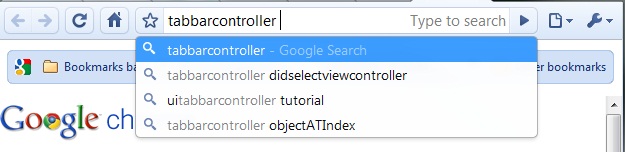
Chrome treats the address bar (the “omnibox”) as both a URL field and a search box — type a URL, it navigates; type anything else, it searches your default engine, with autocomplete kicking in even for very specific queries.
The options screen let you see the search engines Chrome had learned automatically:
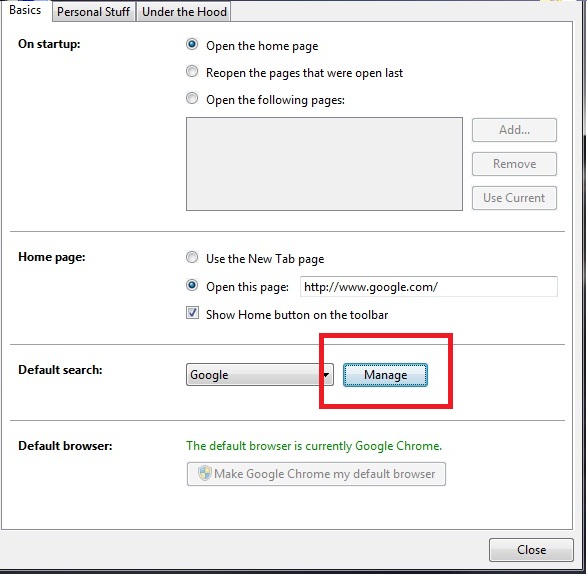
There were default search options, but also “Other search engines” harvested from the sites you used most — type a site name, press Tab, and you were searching that site directly:
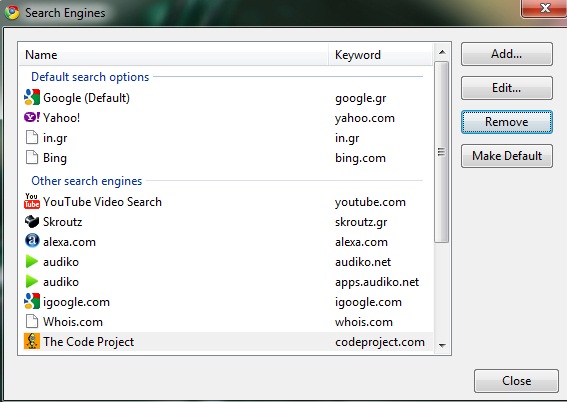
2010 → 2026: the unified URL/search bar is now in every browser (Firefox adopted “Awesome Bar” behavior wholesale, Safari has “smart search”). Custom site-search keywords survive too — today under Settings → Search engine → Manage — and remain one of Chrome’s best-kept power-user tricks.
Find in page
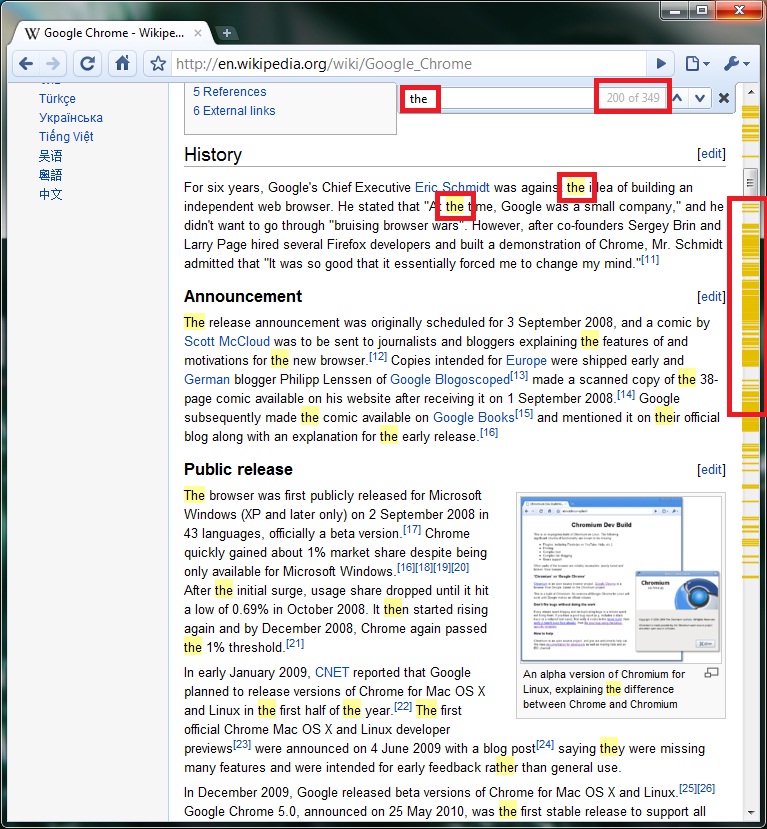
Type your search; as you type, you see the number of occurrences, with the current match highlighted — and the matches marked in the scrollbar, which was a genuinely novel touch at the time. Keyboard shortcut: Ctrl+F.
2010 → 2026: this is exactly how find-in-page still works — match count, inline highlighting, scrollbar markers are now table stakes everywhere.
Speed
Speed was Chrome’s founding argument: its V8 engine was rewriting what JavaScript could do, and I benchmarked it myself in TraceMonkey and JavaScript engines compared. In 2008 V8 ran circles around Firefox’s TraceMonkey; by 2010 the race was close and getting closer.
2010 → 2026: V8 now powers not just Chrome but Edge, Brave, Opera, Electron, and Node.js. The JS-engine wars ended with everyone converging on roughly equal performance — and the benchmarking conversation moved from SunSpider-style micro-benchmarks to real-world page loads.
The scoreboard
Chrome passed Firefox in global usage around 2011–2012 and passed Internet Explorer around 2012–2016 (depending on who was counting), and it has held the top spot ever since. The downsides of that dominance — Chromium monoculture, Chrome’s memory appetite, the third-party cookie phase-out drama — were not on anyone’s radar in 2010, and they are the honest price of the win I was predicting here.